Advanced Settings
The Advanced page allows you to configure advanced options for your PROLIN Power Server instance.
Currently, the following advanced settings are available:
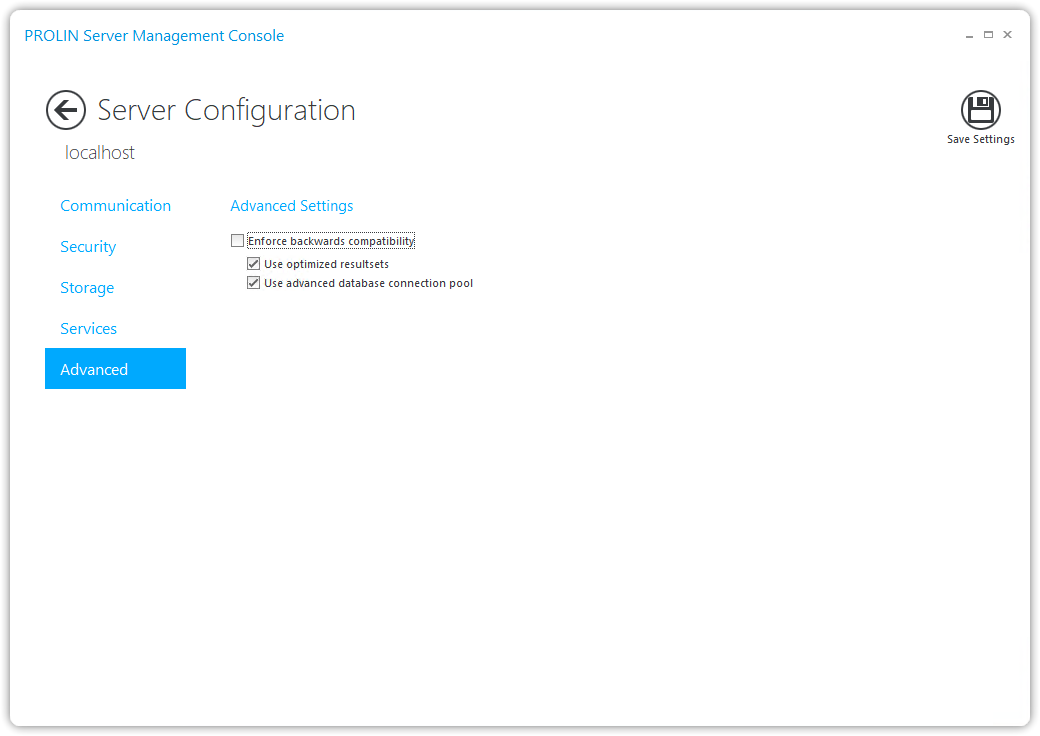
Enforce Backwards Compatibility
This setting controls whether PROLIN Power Server should take advantage of certain enhancements and optimizations.
- It is highly recommended to leave this option unchecked.
- Enable it only when users experience unwanted behavior and you want to diagnose the cause.
- When enabled:
- All options below it will be disabled
- Some other (non-shown) features that might influence backwards compatibility will also be disabled
- All options below it will be disabled
Refer to the Backwards Compatibility section for more details.
Use Optimized Resultsets
When enabled, PROLIN Power Server returns query results in the most optimal format.
- This format is only returned to newer clients (PROLIN Smart Client 11.0 R5 or later).
- Older clients may have difficulties interpreting this optimized format.
Use Advanced Database Connection Pool
When enabled, PROLIN Power Server will:
- Use updated JDBC drivers for both Oracle and SQL Server
- Replace the standard database connection pool with a more advanced alternative
This can significantly improve overall performance of both PROLIN Power Server and its connected clients.