Working with My Tasks
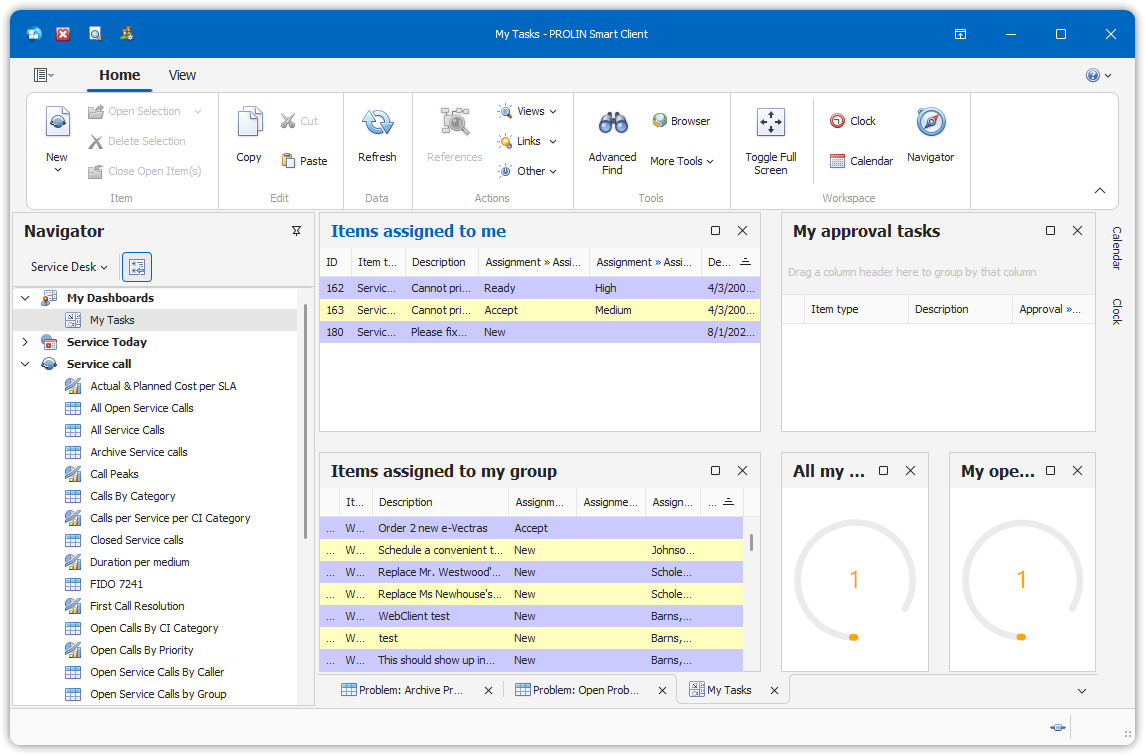
Starting your day with the My Tasks view puts you in control of your time and priorities. At a glance, you can see:
- Items assigned directly to you
- Items assigned to your group
- Approval tasks awaiting your attention
The My Tasks view is the ideal starting point to assess your workload and plan your day effectively.
Tips for Starting Your Day
Here are a few suggestions to help you get the most out of the My Tasks view:
Review approval tasks:
Examine the approval tasks assigned to you. Decide whether you can approve the task, need to reject it, or must gather additional information before making a decision.Create a to-do list:
Use the Items assigned to me view to prioritize your tasks.
Depending on your organization’s procedures, you may also assign tasks from the Items assigned to my group view to yourself. Once assigned, the item will move automatically to your personal task list.Manage group assignments:
If you’re responsible for managing a group’s workload, use the Items assigned to my group view to assign items to specific individuals. These tasks will then appear in the Items assigned to me view of the designated assignee.