Monitoring the Local Host
From the startup screen, press the Monitor (localhost) button to start monitoring the PROLIN Power Server instance running on the local host.
- The Server Management Console first attempts to connect to the Windows service to determine the running state of the instance.
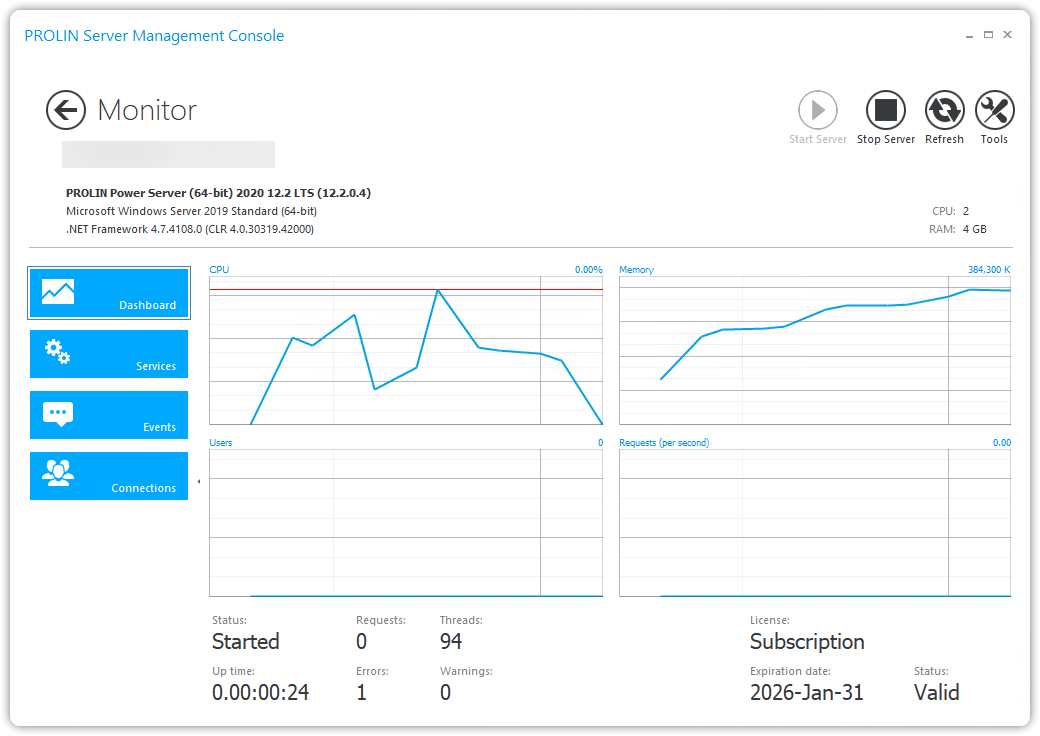
- If the instance is running, it then queries management information describing the capabilities of the server, as illustrated in the monitoring dialog.
Sections
On the left-hand side of the screen, you can navigate to different sections of monitoring information:
| Section | Description |
|---|---|
| Dashboard | Displays general server information, runtime environment details, and basic performance metrics. |
| Services | Shows running modules and service endpoints. |
| Events | Displays event log messages. |
| Connections | Shows the current active users and open connections. Note: some clients (e.g., PROLIN Smart Client) may open multiple connections per user. |