Closing the Smart Client
You can close PROLIN Smart Client using any of the following methods:
🖱️ Using the Mouse
- Click the Close (×) button in the upper-right corner of the console window.
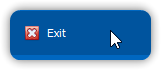
- Click the Exit button in the Quick Access Toolbar.

- Choose Exit from the Application menu.
⌨️ Using the Keyboard
- Press Alt + F4.
- Press Alt to activate keyboard access, then:
- Press E to exit the Smart Client directly.
- Or press A to open the Application menu, then press E to exit.
These options allow for both quick exits and keyboard-friendly accessibility depending on your workflow preference.