Running Reports by End Users
All users have the option to run reports in PROLIN Smart Client. This functionality is located under the Home tab → Reports:
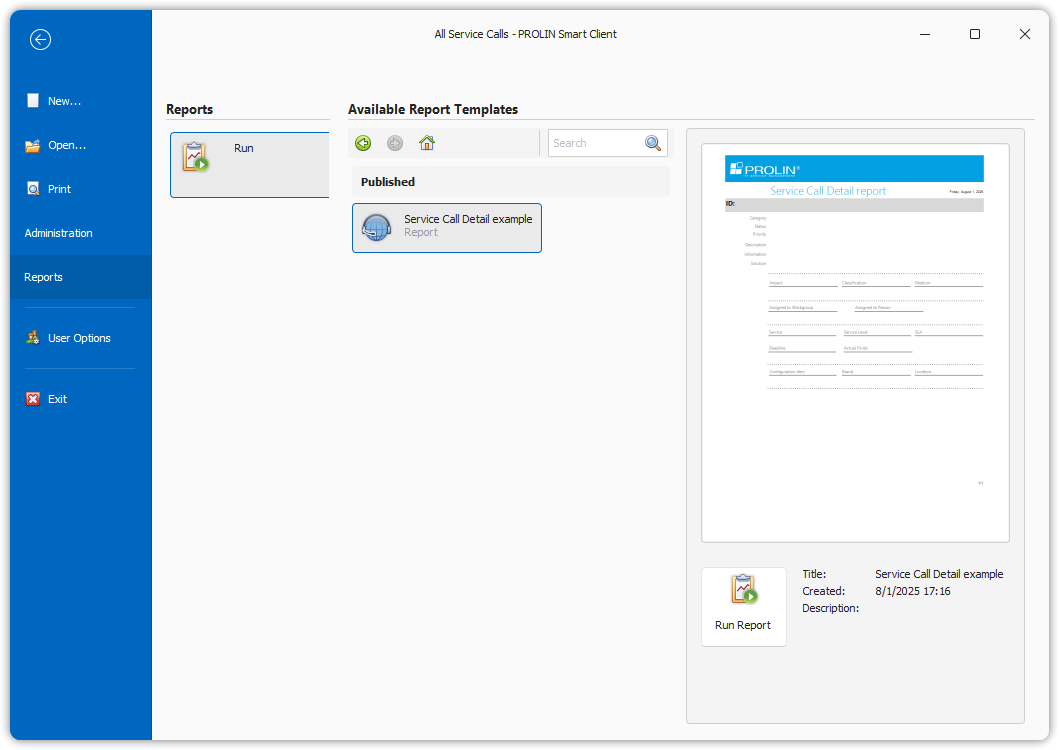
Users can only access reports for entities they have view rights for.
Selecting and Running Reports
In the middle section of the screen, users can:
- Select an entity (e.g., Service Calls, Incidents).
- View a list of available reports under each entity.
- See a preview of the selected report in the right-hand pane.
- View general information about the report below the preview.
- Click the Run Report button to generate the report.
Report Preview and Output
After clicking Run Report, a new window opens displaying the generated report (in this example, a standard Service Call Detail Report):
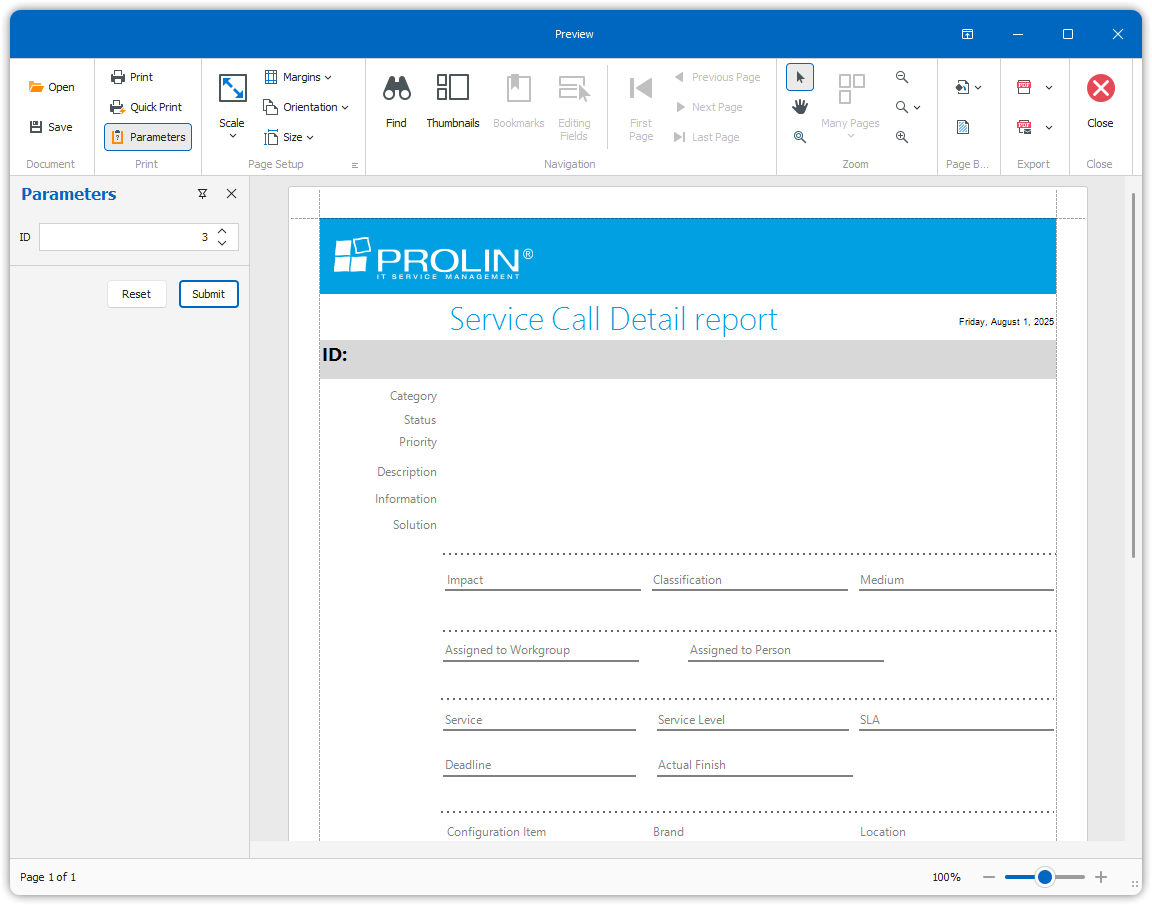
From the preview window, users can:
- View the report on-screen.
- Print the report.
- Export the report using the available ribbon tools (e.g., PDF, Excel, etc.).