Parts of a Form
Forms in PROLIN Smart Client share common interface elements with the main console but serve a different purpose.
- The console presents multiple items in a view.
- A form focuses on the details of a single item, presented across one or more pages.
You can open a form directly from any view (such as Table View, MyTasks View, or Service Today View).
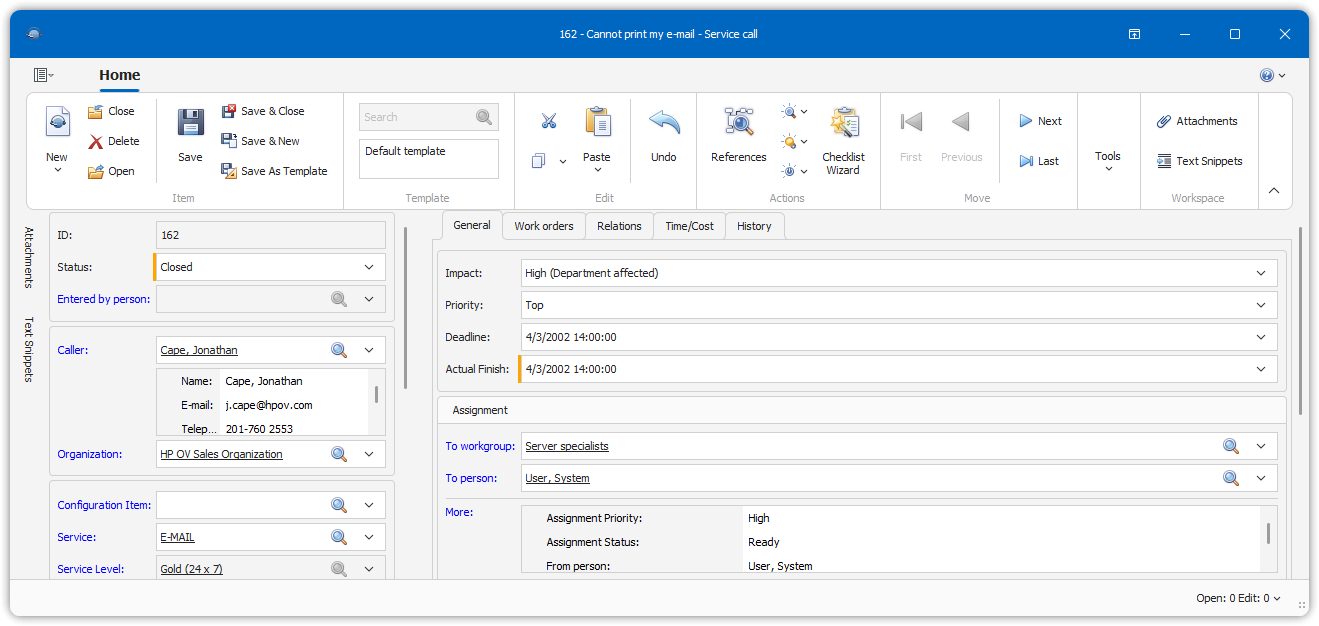
🔍 Structure of a Form
At the center of the form are:
- The main page
- Additional tab pages for organizing item details
Around these pages (left, right, and bottom) you will find action windows—just like in the console. However, forms include two special action windows:
- 📎 Attachments Window – Used to manage item attachments
- 📋 View Action Results Window – Displays results of any View Action commands executed from within the form
📌 The layout of the form helps you focus on a single item while still having access to powerful tools and context.