Change Measurement Units of a Report
For each report, you can set its global measurement units. The available units are:
- Hundredths of an Inch
- Tenths of a Millimeter
These units apply to all measurement-based settings in the report—such as:
- Control and band location
- Size
- Border width
- Snap Grid spacing
How to Set the Measurement Units
You can specify the unit using one of the following methods:
✅ Using the Report’s Smart Tag
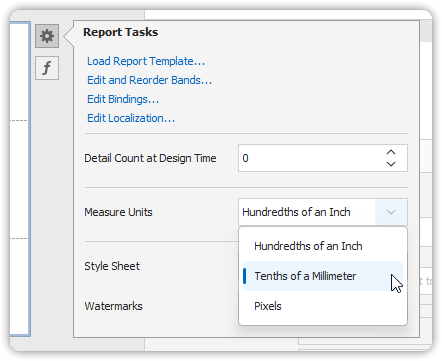
- Click the Smart Tag icon on the report.
- Set the desired measurement unit from the available options.
✅ Using the Property Grid
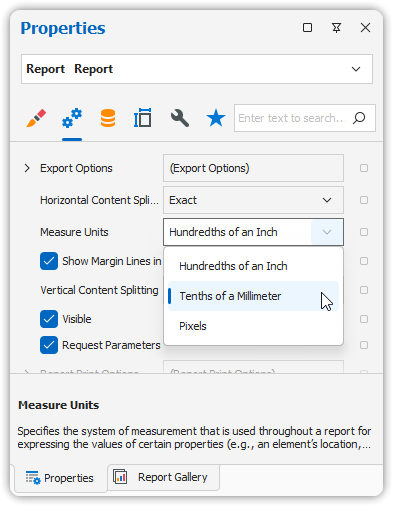
- Select the report in the Design Panel.
- In the Property Grid, find the unit setting and change it accordingly.
🧭 This setting controls the base measurement unit for all positioning and sizing properties in your report layout.