Delete Report Elements
This tutorial explains how to delete bands or controls from a report in the Report Designer.
Steps to Delete Report Elements
- Select the element you want to delete:
- Use the Design Panel or Report Explorer
- To select multiple elements, hold SHIFT while clicking
- Choose one of the following methods:
- Press DELETE on your keyboard
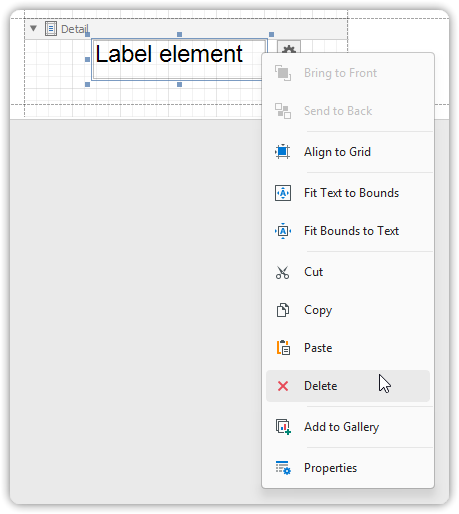
- Right-click the element and select Delete from the context menu
Undo Deletion
- To cancel the deletion, press CTRL + Z to undo the action
Important Notes
- Some elements, like the Detail Band, cannot be deleted
- Attempting to delete required structural elements will be blocked by the designer