Gauge Views
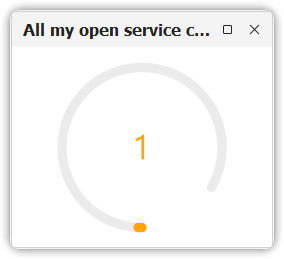
A gauge view provides an aggregated measurement on a specific item type in your system. For instance, you might count:
- The number of service calls assigned to you
- The number of service calls assigned to your workgroup
🧭 Unlike other view types (table, chart, explorer, etc.), gauge views are not standalone and can only be used within dashboard views. As such, they do not appear in the navigation pane.
Limitations
⚠️ In the current release, gauge views only support the COUNT aggregation function.
Future releases will include other aggregation functions such as:
AVERAGESUMMAXMIN
Add or Modify a Gauge View
You can add or modify a gauge view in two ways:
- Recommended: Use the dashboard view configuration dialog
- Alternatively: Use the All Views dialog
Remove a Gauge View
To remove a gauge view from a dashboard:
- Use the dashboard view configuration dialog
- This action only removes the reference to the gauge view — the gauge view’s configuration remains
To delete the gauge view entirely from the system, use the All Views dialog.
Configuration
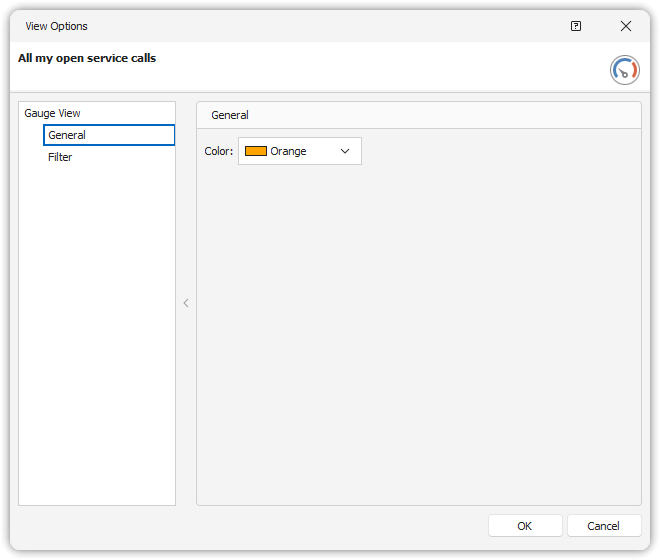
Gauge view configuration is simple. The required components are:
- A filter to define the scope of the aggregation
- A color to visually represent the result
💡 As gauge views evolve, more configuration options will become available.