Add or Modify Static Information in Your Report
In a report, both static and dynamic information can be displayed using appropriate controls.
Dynamic Information: Data that changes throughout the report, such as database values, user names, or page numbers.
Static Information: Fixed content like labels, rich text, or images that do not come from a data source.
Static information can appear:- Once in the Report Header
- On each page in the Page Header
- With each data row if placed on the Detail Band (used like a decorative or instructional element)
Change Static Information
Text-based controls such as Labels or Rich Text Boxes allow in-place editing:
- Double-click the control to activate the text editor.
Load Static Information from an External File
To insert external content into a report:
- Drag a control from the Toolbox (e.g. Label, Rich Text Box, Picture Box) onto the desired band.
- Select the control and click its Smart Tag.
- In the invoked action list, use the Load File… option.
Example: Display Rich Text from a File
- Drop a Rich Text control into the Detail Band.
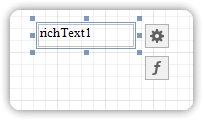
- Click the Smart Tag on the Rich Text control.
- Choose Load File…
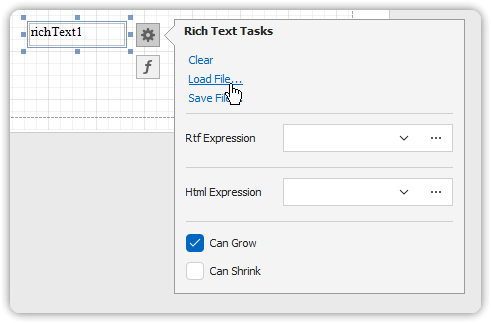
- In the file dialog, locate and select your
.RTFor.TXTfile. - Click Open to load the content into the report.
This allows you to include formatted text, embedded images, and pre-authored static content with ease.