Run Reports from the Designer
In the Report Designer, there are two main tabs:
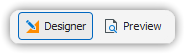
Tabs Overview
Report Designer:
Use this tab to create and define your reports.Print Preview:
When this tab is selected, the report is executed and displayed as it would appear when printed.
💡 Note: The report is executed when you switch to the Print Preview tab.