Copying Item Information
To copy information from an item in a form, follow these steps:
📋 Steps to Copy and Paste
- Open the form and select the value in the desired field.
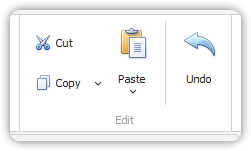
- From the Edit group in the Home tab, click Copy.
- Alternatively, press
CTRL+Con the keyboard.
- Alternatively, press
- To paste the copied information:
- Switch to another application or another field that supports pasted input.
- Place the cursor in the destination field.
- Click Paste in the Edit group, or press
CTRL+Von the keyboard. - You may also use the Paste feature of the other application.
💡 Note:
The Copy menu contains predefined actions for creating new items using copied information.
See: Copy Information to a New Item.