Delay Refresh After Save Item
In some cases, PROLIN Smart Client may refresh an item in the form too quickly after a save—before the server-side (database) rules have completed. This can cause inconsistencies between what is displayed and what has been committed to the database.
To mitigate this, a delay can be introduced.
Purpose
This setting ensures a short pause after saving an item, giving backend processes time to complete before the client attempts to refresh the form.
Configuration
- Range:
0to5000(milliseconds) - Default:
0(no delay) - Recommended: Use only when sync issues are observed after saving
How to Set
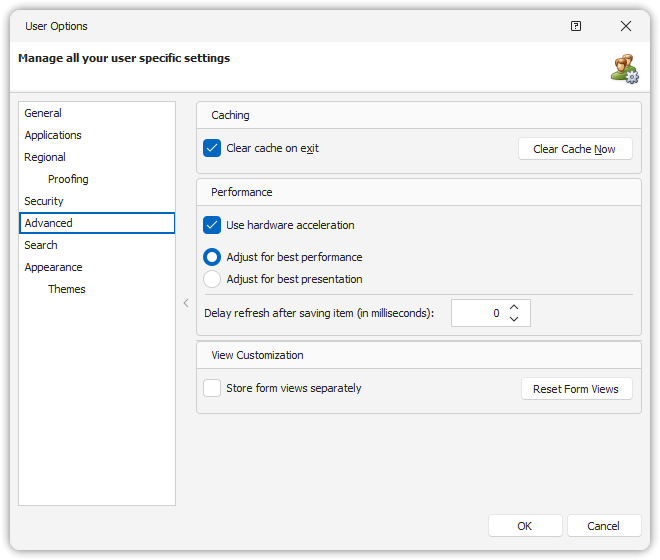
You can configure this delay in two ways:
Via User Interface:
User Options → Advanced
Via Startup Parameter:
Add the delay setting as a parameter during startup.
(See the Installation Manual for details on startup parameters.)
Note
Always consult your system administrator before applying this setting.