View Performance Setting
PROLIN Smart Client offers a performance tuning option for how table views are rendered, specifically when determining best-fit column widths. This setting can significantly impact loading times for views with many rows.
Purpose
When calculating best-fit column widths in views with a large number of rows, using all rows can degrade performance. This setting allows users to balance between presentation quality and application performance.
Location
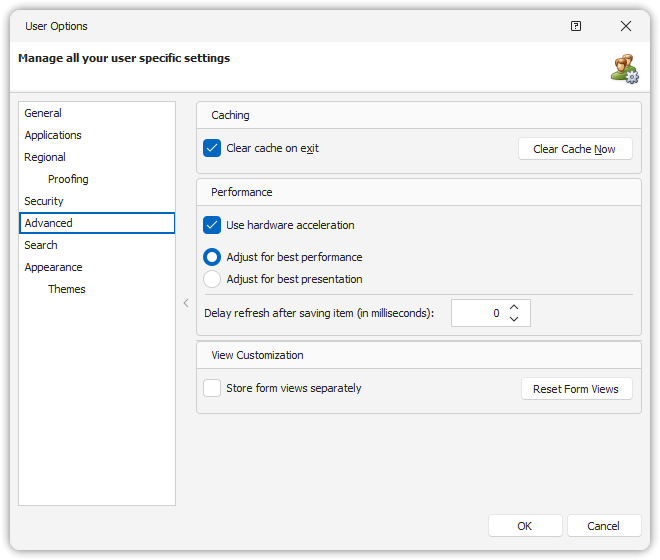
The setting is available in:
User Options → Advanced
Available Options
Adjust for best performance (default)
Only the first 1000 rows are considered when calculating best-fit column widths.
This significantly improves performance, especially for large datasets.Adjust for best presentation
All rows are considered for best-fit calculations, which provides more accurate column widths but may reduce performance.
Note
Switching between these options requires restarting PROLIN Smart Client to apply the change.