Setup Smart Client for SSO
To enable Single Sign-On (SSO) in the PROLIN Smart Client, follow these steps:
- Start PROLIN Smart Client.
- Create a new connection.
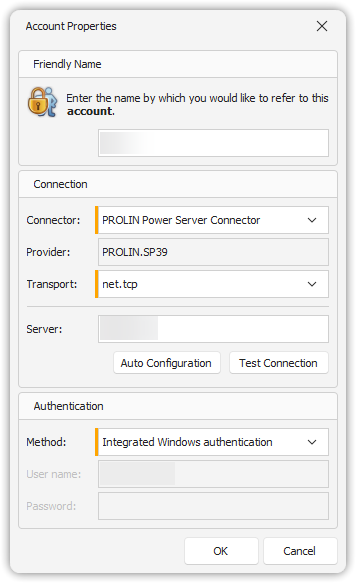
- In the Account Properties dialog, configure the fields as follows:
| Field | Value |
|---|---|
| Connector | PROLIN Power Server Connector |
| Authentication Method | Integrated Windows authentication |
NoteNote
The configuration must be applied in the Account Properties dialog of the Smart Client.